


Say goodbye to your slow and bloated Android device, it's time for a speed boost!
Tip: Skip to Android Remedy No.5 for the craftiest speed boost!
There comes a time in every Android smartphone or tablet's life when it becomes infuriatingly slow. Switching between apps takes forever, the keyboard lags behind your thumbs, and the whole thing feels like it is thinking far too hard about every little task.
2026 update: I've refreshed this guide for modern Android phones and tablets and ditched the old rubbish that no longer earns its place. Cleaner apps, RAM booster nonsense and random "turbo" fixes are mostly a waste of time now.
The good news? A slow Android device is often fixable. Not with magic. Not with a dodgy app covered in adverts. Just with a few smart checks and one excellent bit of trickery at the end.
So here are 5 quick & easy remedies to get your Android phone or tablet out of smartphone rehab and back into smartphone heaven.
Remedy No.1 - Free Up Storage to Speed Up Your Android
If your Android phone is nearly full, it will start acting like an absolute misery. Apps open slowly, updates drag their feet, photos take longer to process and everything feels heavier than it should.
This is especially true on cheaper Android phones. A lot of people blame "Android bloat" when the real culprit is stuffed storage and years of digital junk piling up in the background.
Start with the boring-but-effective stuff:
- Delete large videos you do not need
- Clear out the Downloads folder
- Remove old offline playlists, maps and Netflix downloads
- Check if your photos are already backed up so you can clear local copies
On most Android phones you can head to Settings > Storage and see exactly what is hogging space. That is where I would start before touching anything else.
Remedy No.2 - Find the App Slowing Down Your Android
Sometimes your Android device is not "generally slow". Sometimes one app has simply gone rogue and is chewing through battery, memory, storage or background activity like it owns the place.
If your phone suddenly slowed down after installing a new launcher, keyboard, social app, battery saver, cleaner app, VPN or game, that is your first suspect.
Head into your phone's battery and app settings and see what is running hot. If one app keeps showing up in the background for no good reason, restrict it, update it or uninstall it.
If you're using a Samsung Galaxy phone, one niche tip that keeps coming up is testing RAM Plus with it turned off. It is not a miracle cure, but plenty of users report a snappier feel without it.
One of the best niche tricks from Reddit is still Safe Mode. If the phone runs properly in Safe Mode, the problem is usually one of your installed apps rather than Android itself. That is a much better clue than blindly clearing everything and hoping for the best.
Remedy No.3 - Delete those old unused apps
Whilst you may think an app just sits there peacefully until you tap it, that is often not the case. Some apps are quietly syncing, checking location, pushing alerts and poking the internet long after you forgot they existed.
Having lots of apps all working away in the background will slow down your phone or tablet's performance. If you have not used an app in a few months, get rid of it.
If you are the sentimental type and cannot quite let go, some newer Android phones let you archive apps rather than fully deleting them. That is a much better idea than keeping half your Play Store history installed "just in case".

Remedy No.4 - Restart, Update and Cool Down Your Android
Yeah yeah, not what you wanted to hear. But in my younger years I worked for one of the biggest UK mobile networks and before we even began diagnosing problems, we'd turn the phone off and on again. Annoyingly, it worked a lot of the time.
Restarting your Android phone clears stuck processes, resets background nonsense and gives the system a chance to behave itself again.
Once it is back on, check for Android updates and app updates. A slow phone is sometimes just a buggy phone that has not been patched in a while.
One more thing people miss: heat. If your phone only slows down when charging, gaming, navigating in the car or sitting in direct sun, you may be dealing with thermal throttling rather than general sluggishness. In other words, the phone is getting hot and deliberately slowing itself down to avoid cooking itself.
So yes, reboot it. But also stop roasting it.

Remedy No.5 - The Placebo Pill
If you do not know what the placebo effect is yet, then you are about to find out.
This is still my favourite Android speed trick because it takes only a few minutes and makes your phone feel faster straight away. No, it does not make the processor more powerful. Yes, it absolutely makes the phone feel snappier in daily use.
Step 1:
First, activate your phone's developer options by going to Settings > About Phone > then tapping Build Number several times. Your phone will confirm that Developer Options are now enabled.
Step 2:
Head to the newly revealed Developer Options and scroll down until you see 'Window animation scale', 'Animator duration scale' & 'Transition animation scale'. By default they are usually set to 1x. Change them to 0.5x.
Step 3:
Enjoy how your phone suddenly feels like it has had a double espresso. Menus pop faster, app transitions drag less and the whole device feels more awake.
Do not set everything to zero unless you like ugly, abrupt menu jumps. 0.5x is the sweet spot.
What about RAM booster apps and cleaner apps?
Skip them.
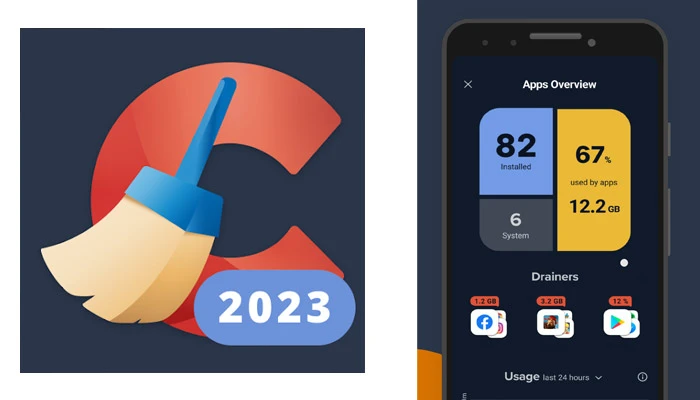
Modern Android already gives you storage tools, battery stats, app controls and update management. Most third-party cleaner apps just add more adverts, more notifications and more background nonsense to the very phone they claim to be fixing.
Mass-clearing cache all the time is not a secret performance hack either. In many cases, cache exists to help apps load faster, not slower.
My Phone is still slow....
If you have cleaned up storage, hunted down dodgy apps, deleted the old rubbish, restarted it and tried the animation trick, then you have done the right things.
If it is still acting up, I would focus on a factory reset before wasting time on gimmick apps. That gives you the best shot of a proper clean slate.
And if you are looking for your next upgrade afterwards, we've got just the guides for you:
Community Speed Tips
If you've got any Android speed tips you'd love to share just comment below and they'll probably make it into the next update of this article!
Comment submitted successfully! It will appear once approved.
Submission failed. Please verify the Captcha and try again.
Let me know if the tips above worked for you? And if you're holding onto the ultimate Android speed boosting secret, please share : )
Very insightful Post. Thanks for sharing.