

I feel your pain. And I'm here to solve it!
I bought the new Chromecast with Google TV dongle thingy last year and for the first 3 months it worked like a dream.
Then came the dreaded 'No Internet' popup. I'm streaming Netflix... I clearly have internet and I keep getting a Google TV popup saying Internet Disconnected... Internet Connected... Internet Disconnected... it's driving me mad!
Related: How to fix Chromecast Choppy & Stuttering Bluetooth Connections
Then I start getting WiFi issues. So I try and connect to my WiFi network. Then my Chromecast TV would say... 'Connected'.... Hurray... but then 2 seconds later I would be told there was no Internet.
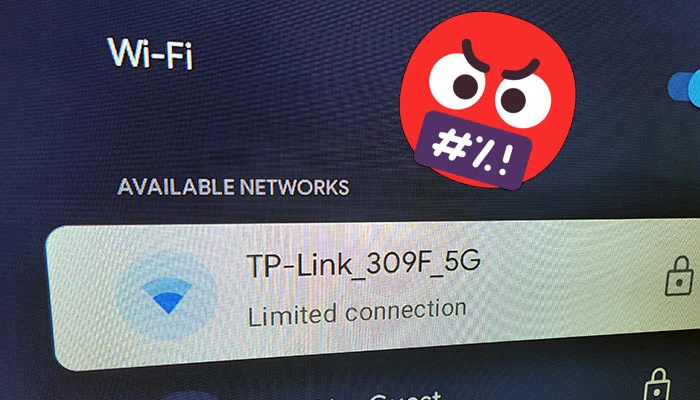
I check in on the WiFi settings and see that I have a popup saying 'Limited Connection'...
What the heck is a Chromecast TV Limited Connection?
Well after hours of reading forums... being told I had to reset the Chromecast... maybe it was faulty... it's a software issue... it's a hardware issue... have you tried connecting to your phones internet... and finally being told to mess around with my power-saving settings...
It wasn't like the Official Google Chromecast TV Page was any better with their suggestions...
- Try Connecting to the internet...
- Turn it off and on...
- Move your router closer to your Chromecast TV...
C'mon Google... You can do better than this??? In fairness, I've fixed my fair share of tech problems with method 2... Windows being the worst for this...
Simply put...
I'd had enough... I was about to throw my Google TV device out the windows and dust off the old Roku... (if only it supported a bloody VPN)... and then I stumbled upon a forum message that mentioned something new...
Google Chromecast TV - Limited Connection: SOLVED
Well well... Mr Chromecast... it seems you have a problem telling the time...
- Turn on your Google Chromecast TV
- Hold 'Home' to then select 'Settings'
- Select 'System'
- Select 'Date and time'
- Select 'Automatic date & time'
- Change to 'Off'
- Set correct 'Date'
- Set correct 'Time'
Boom and that was it... my Internet Connection was no longer limited.
It's looking like the Google Chromecast TV has some issues connecting to the internet, when your time and date doesn't match that of your routers time and date.
This is most likely to happen is you haven't used the Chromecast TV in a long time, or you have it connected to the USB port on your TV.
Use the 'included in the box' power adapter and you won't have this issue again.
You can also change the following back:
- Settings > Date and time > Automatic date & time
- Back to 'Use network-provided time'
Let me know in the comments if this fixed your internet connectivity issues on your Chromecast TV Google Dongle Thingy...
There's also a few more things you can try
Comment submitted successfully! It will appear once approved.
Submission failed. Please verify the Captcha and try again.
I'm sure it's a great fix, however it seems you forgot to complete the steps from part way through step "2. Hold t"
Please finish writing the fix so I can try it.
Thanks
Hey, Seems like we were having a error on the page. I've fixed the Chromecast Limited Connection Instructions. Hope this works for you now! : )
Hi, actually I found the solution that did work (your time one didn't, for me).
It's apparently all to do with the 5GHz wifi channels and the fact the chromecast only supports a limited number (pretty poor design IMHO, but they must have their reasons):
https://www.reddit.com/r/Chromecast/comments/jdviq8/comment/g9arpiw/?utm_source=share&utm_medium=web2x&context=3
Since I found that, I configured my local network accordingly, and had no further problems (other than the router AI changing it back, but once that was turned off, all good)
Hey Hamish!
Glad that you got it sorted! : )
For me the 5GHz was working fine, I think I have a faulty battery inside the unit that won't keep the time and date set correctly. Then the router has problems connecting to a device living in the past...
I've heard that if you're connecting to a walled-off WiFi connection then the automatic time and date function won't work.
Hey, Seems like we were having a error on the page. I've fixed the Chromecast Limited Connection Instructions. Hope this works for you now! : )
Thanks for reading our Chromecast with Google TV: No Internet / Limited Connection / Can’t Connect To WiFi: SOLVED article. Comment below with any questions you have : )
Thanks, I have a Hisense and Chromecast with Google tv and in both when we have energy problems by storms or other thing, have the same problem, in both devices, and ever reconfigure the devices from factory default, and now with your solution all is fine with 3 clicks!!!! Thanks
Glad this worked for you : )
Glad this worked for you : )
You are agenius!
Fixed. Hope this helps! : )
Worked great for me!
I have another issue though. All of a sudden, I can’t use certain apps. Netflix works fine but YouTube won’t show videos and Kayo won’t sign in. No idea what has happened
Hey Matt,
If you head to settings and then apps, you can force close the problematic Google TV apps. If that doesn't work, you can delete the data associated with them in the same menu... But... with this method, you'll have to re-enter your login details which is a pain.
Or you can use the old classic! Turn it on & off :D
This is great, only for me it was the reverse! My time and date were set to off, when I switched it to be automatic BOOM! My connection was back!
Glad it worked for you in reverse!
It happens to me a lot after the Chromecast Google TV loses power for a while.
: )
Very useful post. Thanks to you I did not have to search and search, the solution worked perfectly!!!
Lifesaver
Thank yooouuuu! Movie night was saved!
You are the best! Was struggling with the issue for hours, even called the internet provider lol… thx a lot xx
Still having the problem. Feeling defeated. Tried this solution and it worked for a day. I've replaced my modem, my router and upgraded my Chromecast from the HD version to the 4k version. I've contacted my service provider who had me reboot everything. My wires have been checked by the service provider. I'm exhausted and honestly just don't know what to do next. I'm a senior female and like the ease of the Chromecast remote. My tv is a 65 inch OLED and is only a year old. Should I try a fire stick or a Roku???
Hi Laurie,
The Chromecast for Google TV will lose its time each time it loses power. So if you have it connected to the USB power on your TV, each time the TV powers down, it can reset the time on the Google TV Chromecast. If you connect the USB power end to a USB charger, it'll keep the clock set to the correct time and you'll won't have the Limited Connection / No internet notifications every 5 minutes. Hope this helps : )
I was havingthis problem just as we changing the clocks. Your solution worked for me in about 5 minutes. Thank you for that.
Changing the time worked
Thanks
What a fix!
I have been struggling with this for weeks.
"Date and Time"?!!!!
Fixed - many thanks: I found that the time and date had been manually set and were completely wrong. I changed to use the automatic router time - the time reset and my wifi connection now got onto the internet.
You made my day. God bless this post)
Thx!