

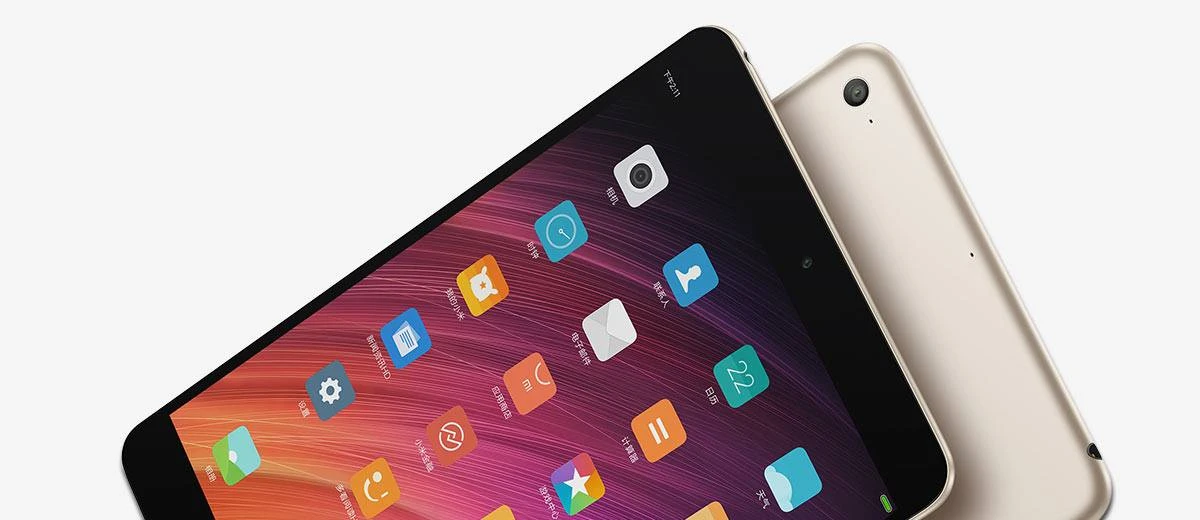
Well hello Xiaomi Mi Pad 3, you little iPad Mini clone...
Update: The Price of the Xiaomi Mi Pad 3 has dropped as low as £179 / $220 making it an absolute steal!
If you haven't heard of Xiaomi yet (or the Mi Pad 3) then you're missing out as they've been working hard to become leading innovators across the tech front-line.
Well known for manufacturing items such as Smartphones, Tablets & Wearables, more recently Xiaomi have branched out to include everything from Smart Home Devices and Electric Bikes to 360 VR Cameras & Ultrabook Laptops!
You only need to take a quick look at the Xiaomi Chinese website to see that they've got their fingers in many pies.
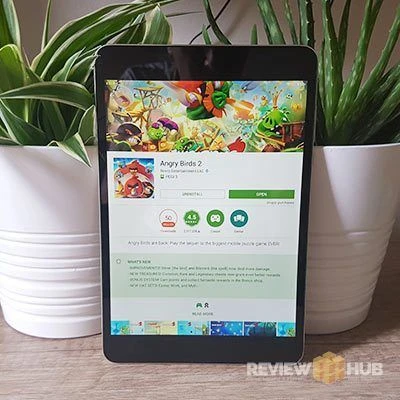
On paper the Mi Pad 3 has everything (4GBs of Ram, 6-core processing, full metal body, USB-C, fast charging and a 7.9" 326 PPI screen) but how does the 7.9" tablet compare to the ubiquitous king of tablets the Apple iPad Mini? Is it worth your hard-earned cash or should you stick to the tried and tested Apple formula?
Get a sleek all metal Android Tablet for only... UK : £180 | EU : €199 | US : $220
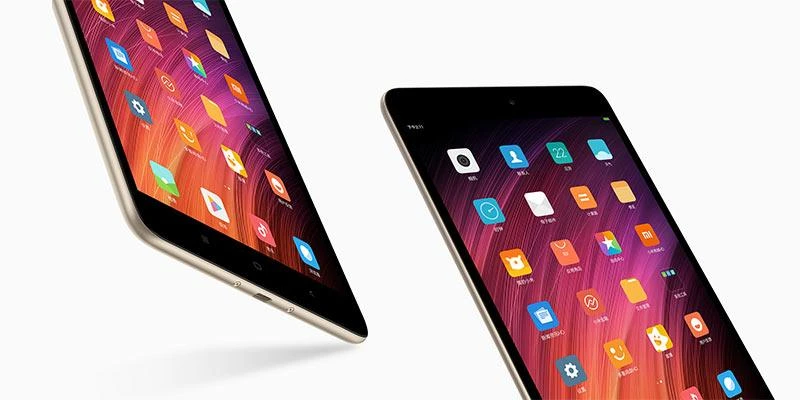
Xiaomi have really put a lot of attention into the design and build quality of the Mi Pad 3. Overall, you won't be disappointed.
Performance & Hardware
So far, we've got a 7.9" Android Tablet that excels on craftsmanship and has high-resolution vivid screen. But how does it hold up to the competition when we look at performance?
It's good news as the Mi pad 3 is fast! Whilst it's not pushing the boundaries of what's possible in mobile processing power, it is a solid performer!
Apps load fast and multitasking is a breeze thanks to hex-core setup. The tablet runs a quad cluster of 1.7GHz CPU's and a dual-core of 2.1GHz CPU's. All on the single chip, the tablet saves power by only turning on the clusters it needs.
This is then backed up by a hefty 4GB's of RAM which is double what we see in the iPad Mini 4. Bear in mind that the iPad is a lot more efficient with its use of RAM so don't expect double the performance.
CPU: MTK8176 Hexa Core (2 x 2.1GHz Cortex A72 + 4 x 1.7GHz Cortex A53)
GPU: MG PowerVR GX6250 (600MHz )
RAM: 4GB
Storage: 64GB (57GB available) (read speed: 145MB/s , write speed: 170MB/s)
WiFi: Dual-band (a/b/g/n/ac) 2.4GHz / 5.0GHz
WiFi Modes: WiFi Display / WiFi Direct / Android Cast
WiFi Speed: Oookla Test (123Mbps Download / 13Mbps Upload)
Bluetooth: 4.0 / BT HID
Sensors: Accelerometer, Light, Orientation, Gyroscope, Magnetic
USB Type: USB-C
Watching TV & Movies
A test I like to perform on new tablets is the TV & Movie test. This lets me see how comfortable the tablet is to hold for extended periods, the quality of the external speakers and whether there are any software / performance bugs that arise only after prolonged use.
After 3 hours of watching Dexter on Netflix (my new favourite binge series) on the Mi Pad 3 how did it go?
First off, the tablet didn't heat up a lot during my Netflix binge, so no sweaty palms here. The playback was smooth without any issues even when switching to check emails.
To be completely honest, it's too heavy to be holding for more than an hour but resting the tablet on a cushion did the trick.
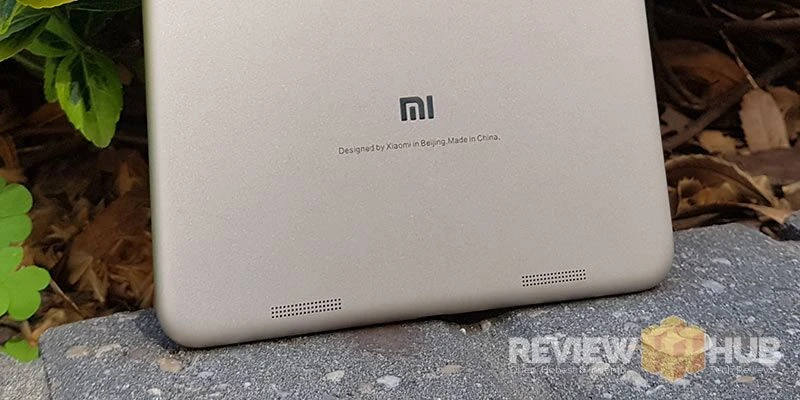
The speakers on the Mi Pad 3 tablet are okay and lean more towards the treble than bass. I wouldn't call them tinny but they don't match the full feeling soundscape of Apple devices I've used. There are two speaker grills on the back of the tablet which prevent you accidentally blocking off the sound.
So a success for the Mi Pad 3 for the Netflix challenge.
Gaming
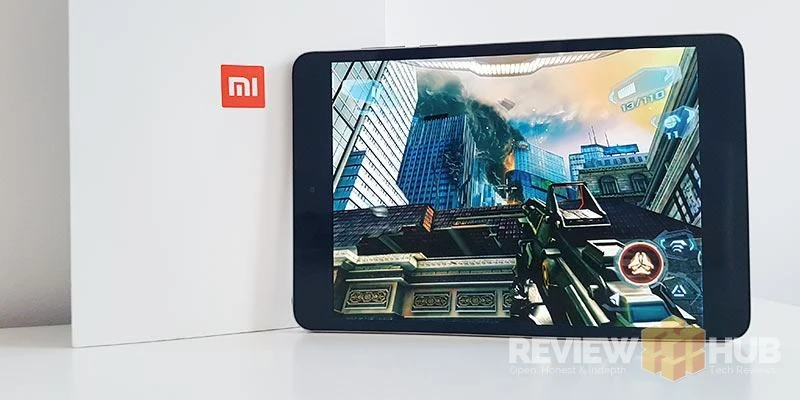
To test the Mi Pad 3's gaming performance I downloaded a selection of popular 3D intensive games from the Google Play Store that have brought weaker hardware to their knees.
N.O.V.A 3 (non 20MB version) has always been a good gaming benchmark for me, as the slower mobile GPU's often struggle dropping frames and slowing down during cutscenes and sections with substantial amounts of SFX.
The Mi Pad 3 laughed at N.O.V.A 3, playing through the entire first level without so much as a single slowdown. Modern Combat 5 & Asphalt 8 also both ran smoothly with the graphics set to full.
Powering the graphics inside the Mi Pad 3 is the MG PowerVR GX6250 which runs at 600MHz. Whilst it isn't a top level mobile GPU it still performed excellently during my real-life game testing. I've also posted the popular benchmarks below.
AnTuTu Benchmark V
The Xiaomi Mi Pad 3 scored: 79483
- 3D – 14702
- UX – 32065
- CPU – 26197
- RAM – 6519
Geekbench Score:
- Single Core Performance: 1569
- Multi-Core Performance: 3157
Overall the Mi Pad 3 is a good gaming tablet option.
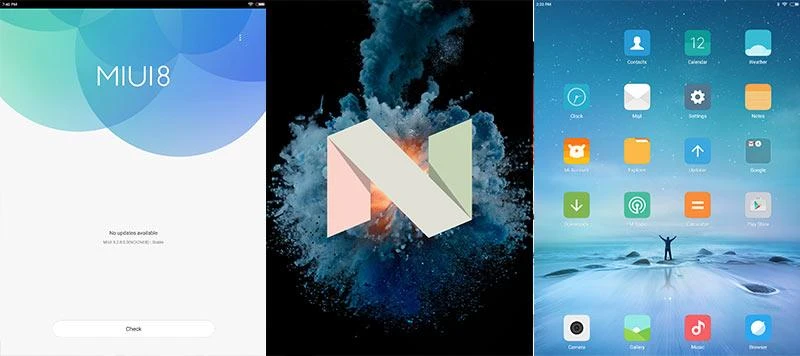
MIUI 8.2 Android Nougat 7 Software
If I hadn't been hinting about the Xiaomi Mi Pad 3 being similar to the iPad already I'm about to in a serious way!
The MIUI 8.2 software that the Mi Pad runs on is built on the latest Android software (Nougat 7). The MIUI 8 overlay changes the look and feel of the Mi Pad's layout to be very much like Apple iOS. Best of all it's fast!
Gone is the app drawer, expect badges on app icons and even the settings resemble the iOS settings page. Some Android features have remained such as the swipe down from the top to access the quick options.
There's also a few custom software features that add to the tablet experience such as a Blue Filter & Monochrome Mode that are both aimed to improve your reading experience whilst taking the strain off your eyes.
... it's an iOS experience on Android...
A nice addition is the landscape mode toggle that allows you to easily access option such as home, return and recent apps using your thumb. These landscape options can be customised to your preference via the settings.
FEAR NOT THOUGH MY FRIEND!
I can hear some of the diehard Android fans thinking they've just entered hell after hearing about the Android iPad OS MIUI Clone thingy...
It's super easy to install the Google Now Launcher for free from the Google Play Store. This will re-add the App Drawer, Add the Google Search bar and activate Google Voice Search Assistant bringing the Mi Pad 3 much closer to stock Android.
I can see the Mi Pad 3 clearly winning over Apple users who are looking for a cheaper alternative but don't want to learn the new Android Operating System.
Battery Life
Battery life on the Mi Pad 3 will depend on a lot on your usage. I live in the bright sunny flat in Budapest so during most of my testing I had the brightness set to full which eats the battery fast.
This left me with around 6 hours on-screen on time. Even with the brightness set to 75%, you'll only be reaching around 8 hours. Not the 12 hours stated but still enough for most when combined with fast pump charge.
Inside you'll find a hefty 6600mAh battery that features pump-charge fast charging and uses a USB-C connector. The included 2-pin US charger is capable of 2-amp output to the tablet.
Whilst there isn't a notification LED there is a dedicated battery notification light similar to the capacitive Android buttons that will warn you that the Mi Pad needs charging.

Tablet Camera
I'm starting to see more people getting out their tablets and taking photos out in the wild. Whilst this may seem bizarre to some, with tablet cameras improving fast, it's only going to increase.
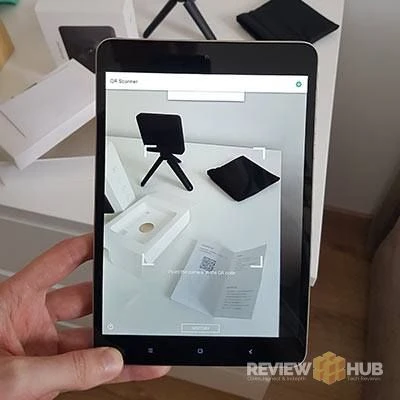
To test the cameras out I took the Mi pad 3 into the streets of Budapest, Hungary. You can view the entire Mi Pad 3 Test Samples Album here with both HDR on & off.
Rear Camera Tech Specs:
- 13MP
- f/2.2
- 1080P video
Front / Selfie Camera Specs:
- 5MP
- f/2.0
So is the Xiaomi Mi Pad 3 a winning tablet?
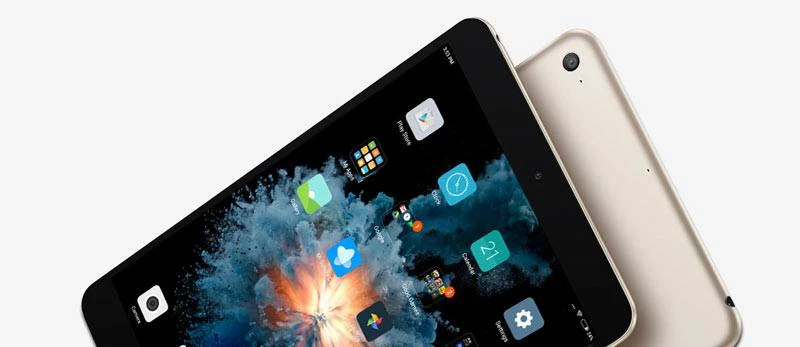
YES! The combination of price, performance & craftsmanship all adds up to an excellent 7.9" Android tablet. Having the 4:3 aspect ratio makes the Mi Pad 3 a pleasure to use and in terms of pixel density the screen is ultra-sharp.
I would have liked to have seen a higher maximum brightness as the tablet is unusable is sunlight but I don't take my tablet out very often so it's not a big deal.
It should be said that there's still fierce competition from the iPad Mini which features a better screen and sound quality albeit for a sizeable chunk of extra money.
Overall, I highly recommend the Mi Pad 3 to anyone looking for a slimline all metal tablet that performs well. The best bit is, that the price will only come down, unlike the Apple tablet competitor.
Get a sleek all metal Android Tablet for only... UK : £215 | EU : €240 | US : $270
I'd love to hear your thoughts on the Xiaomi Mi Pad 3 below in the comments. Got any questions? Ask away : )
Comment submitted successfully! It will appear once approved.
Submission failed. Please verify the Captcha and try again.
Questions about the Xiaomi Mi Pad 3? Ask away! : )
I'd also love to know any tips and tricks you know if you own a Xiaomi Mi Pad? and what you think about EMUI?
James @ Review Hub
Hi James,
I am looking to buy the Mi Pad 3 from gear best. I am a little concerned about custom ROM's etc and whether or not this will be shipped with the original ROM and would that have the Play store? I previously bought a Mi Pad 2 and it came with the retailers ROM, the Play store did not work and it took quite a bit of messing around to install another ROM with Play store etc.
Where did you get yours? was it sealed? and does the Play store etc work?
Hey Greg,
The Mi Pad 3 I reviewed was from GearBest and came in their retail packaging. It comes with the standard Xiaomi ROM with the Google Play Store pre-installed. I'm using it as my daily tablet for the time being and haven't had any issues. You can install Google Now Launcher for a more Android stock feel but I'm a fan of the MIUI 8.0 style/overlay.
The Mi Pad 3 wasn't shrink wrapped but came with security seal tape on both sides of the box.
I've just ran the root checker and it's 'Not Rooted' so you won't have any issues with Banking Apps in the UK. It also came up completely clean after the Anti-Virus scans as well.
I've had a lot of tech from GearBest and haven't had any issues : ) never had to return though, so can't comment on that process.
Hope this helps : )
James @ Review Hub
good review