

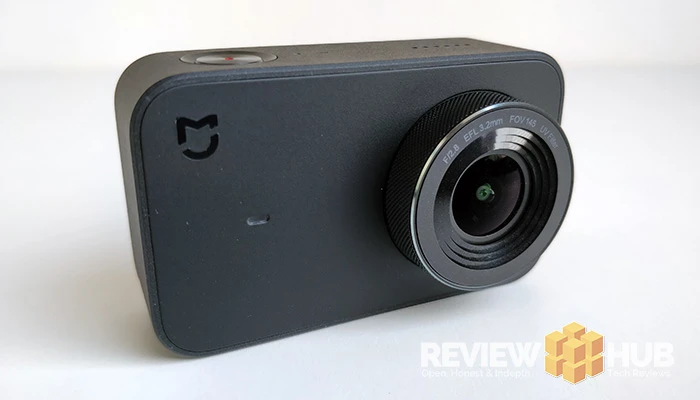
We get hands-on with the Xiaomi MiJia Mini 4K Action Camera... the budget GoPro alternative
With a summer of capturing awesome 360 footage from the Xiaomi MiJia 360 Action Cam behind me, I'm super excited to try out the new Xiaomi MiJia Mini 4K Action Camera.
Currently, the action camera market is split into two. There's GoPro and then there's everyone else.
Trying hard to change that is Xiaomi with two of its own action cam ranges, MiJia and also Yi cameras. The camera we'll be reviewing this time is the Xiaomi MiJia Mini 4K which looks a lot like the GoPro 4 featuring an LCD viewfinder and shooting in 4K.
It even has its own specific Gimbal that exclusively fits the MiJia Mini and its totally awesome! Link to the full Xiaomi Gimbal Review coming soon but you can check out some footage in our video below.
Further reading: The Best Xiaomi Smartphones - 2018
I've spent the last 4 weeks touristing around South East Asia with the Xiaomi MiJia Mini by my side. Why? because I want to see if it can perform as well as my trusty steed, the GoPro Session.
Check out the latest Xiaomi MiJia Mini 4K Camera deals below...
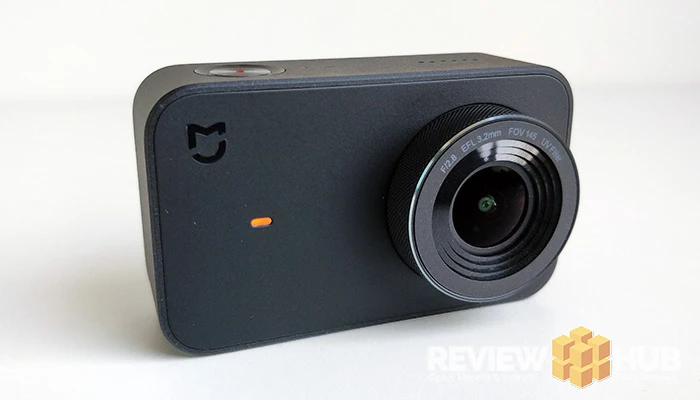
Design & Build Quality
I love the design of this action camera! It's simple, it's black and it's grippy. The metal lens circle feels tough, and I didn't find any weak areas during my few weeks with the camera.
Just having one button for shooting footage makes it a dream to use, and then you have the touchscreen for when you want to play with the settings. All the settings can be accessed via the app as well.
The fact that it only weighs 99 grams means it won't get left behind like your DSLR, although the waterproof case does make it a little on the bulky side. So it's a point to GoPro for their case-free waterproof cams.
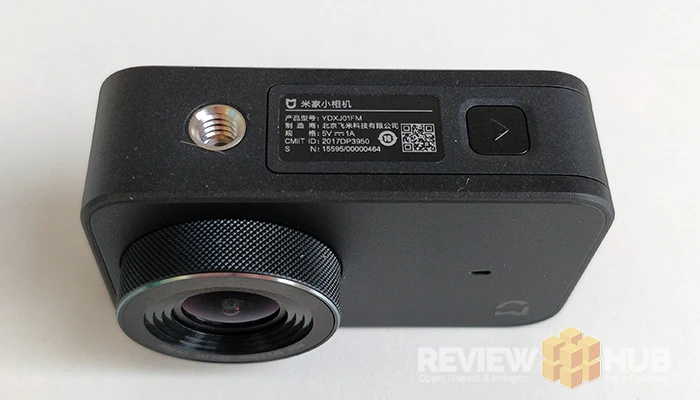
It'd have been nice if the charging port cover felt a little more sealed, but it doesn't advertise as waterproof without the case.
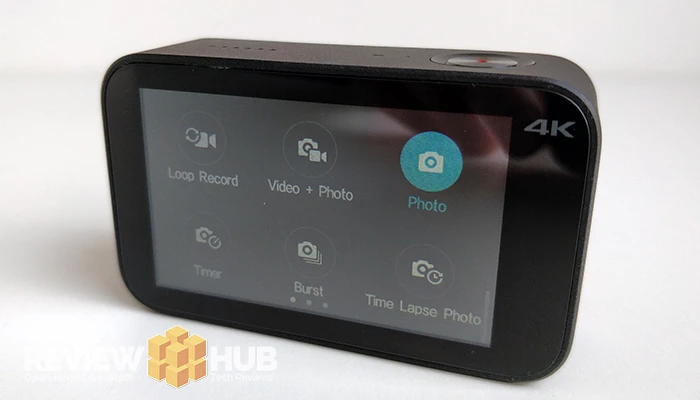
Xiaomi MiJia Mini 4K - Setup & Software
Getting started with the camera is simple. Add a memory card and you're ready to start filming making it suitable for both beginners and more experienced users.
Press down the single power button on top, wait for the cute jingle and then you'll see either a camera or video icon at the top of the screen. This lets you know which mode you're in.
Swipe Right and you'll see all the camera modes such as time-lapse video, slow motion and loop record.
Swipe Left to view all of your video recording and picture in the gallery. You can view or play these back on the camera itself.
Swipe Down to access the settings. From here you can connect to the Mi Home App using WiFi (more info below). Change the cameras (non-filming) settings and also power off the cam.
Settings Icon - You'll find this in the bottom right of the viewfinder screen and it'll give you access to all of your filming settings.
Super simple right : )
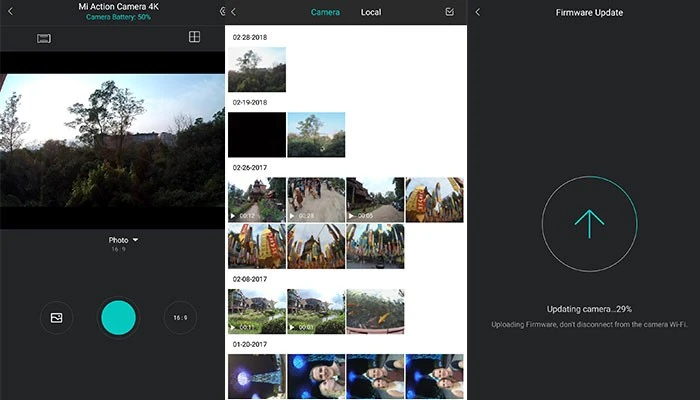
Xiaomi Mi Home App
Rather than messing around with the fiddly Micro-SD card you can export all your footage to your phone via the Mi Home App.
While not a dedicated video editing app, it has some basic functionality that's useful. You can view all the videos on your MiJia Mini, download videos and pictures directly to your smartphone and access a live stream of what the camera is viewing.
If you find the camera display a bit small, you can also access all the same setting through the Mi Home app as well.
Probably the most important reason to use the Mi Home App is so that you can update the MiJia to the latest firmware version. With each new firmware version comes improvements and enhancements to the camera.
During testing, I've had several firmware updates each time I connected to the app. Xiaomi are known for their continued product support.
Battery life
An area where the Xiaomi MiJia Mini Action cam really shines is in its long battery life!
The worst nightmare for every tourist is when you're visiting a once in a lifetime spot, you reach for your camera and its dead...
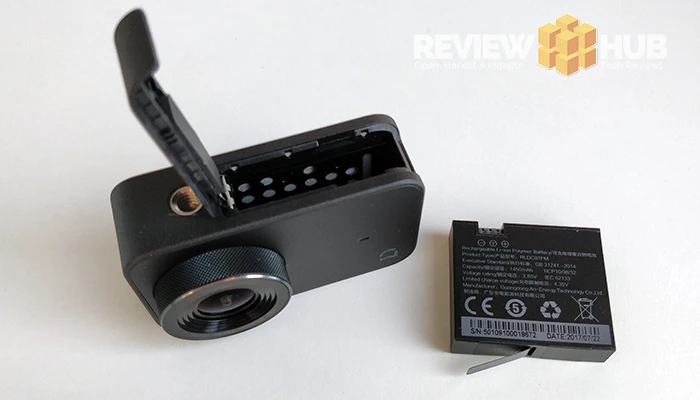
Luckily, the Xiaomi MiJia has a 1450mAh removable battery that lasted a whole day of taking both photo and videos without a hitch! Eventually it's going to run out though, so best get yourself a couple of spares.
Turning the WiFi on and connecting to the Mi Home app wasn't a battery drain either.
Xiaomi MiJia Mini 4K - The Verdict
Overall, the Xiaomi MiJia 4K Mini is a strong choice for those looking for an action camera without the GoPro price tag.
While adding a Gimbal and waterproof case makes brings the price up, you're getting a much more comprehensive setup than a GoPro without a gimbal.
Overall, the MiJia 4K Mini exceeded my expectations of a sub £100 camera both for daylight and night-time footage. My only gripe is that could of designed a better cover for the charging port.
Do I recommend the Xiaomi MiJia 4K Mini? Yes, it's a great little action cam that becomes an awesome action cam when combined with the MiJia Gimbal.
Xiaomi MiJia Mini 4K offers below...
Tech Specs
 |
|
|---|---|
| Camera | Xiaomi MiJia Mini 4K Action Camera |
| Screen Size | 2.4 Inches |
| Dimensions | 2.81 (L) x 1.68 (W) x 1.16 (L) |
| Weight | 99g |
| Video Resolution | 1080p (60fps), 4K (3840 X 2160) |
| Still Image Resolution | 3840 x 2160 (8.3MP) |
| Lens Angle | 145 degrees (fish eye) f/8.2 aperture |
| Waterproofing | NO |
| Features | 6 Axis Stabilization, Slow Motion, Burst, Timer, Loop Record, Time Lapse, |
| Colors Available | Black |
| Battery Capacity | 1450mAh (Removable) |
| Working Time | Around 2 hours |
| USB |
Micro USB |
| Processor? | Ambarella A12S75 |
| Materials | Plastic |
| Connectivity | IEEE802.11 b/g/n + Bluetooth 4.1 |
| Languages Available | English, Traditional Chinese |
| Storage | Up to 64GB (SD card not included) |
Comment submitted successfully! It will appear once approved.
Submission failed. Please verify the Captcha and try again.
Let us know if you have any questions about the Xiaomi MiJia 4K Mini action camera : )
Is the price enough to sway you from buying a GoPro? Let us know.